Skip to the content





























CONDITIONAL ACCESS FOR MICROSOFT TEAMS
The Problem
Microsoft Teams is rapidly becoming a leading go-to tool for time-sensitive communication worldwide.
The enormously high value this service offers beyond what on-premise solutions do is not without a downside, however.
One critical vulnerability that many organizations which use Microsoft Teams and similar cloud-based UC services are exposed to is unauthorized access from unmanaged devices.
Restricting access to Microsoft Teams by UEM/EMM/MDM has always been challenging due to the fact that the service is not under the company’s control, as it may be accessible from any device and at any location.
Moreover, UC cloud services come with the challenge of working with protocols other than HTTPS, as well as the need to preserve call quality level.
In other words, even when your organization is using an MDM to keep secure, employees may still log into the company’s Microsoft Teams using personal, unmanaged and non-compliant devices – placing your company at risk.
The enormously high value this service offers beyond what on-premise solutions do is not without a downside, however.
One critical vulnerability that many organizations which use Microsoft Teams and similar cloud-based UC services are exposed to is unauthorized access from unmanaged devices.
Restricting access to Microsoft Teams by UEM/EMM/MDM has always been challenging due to the fact that the service is not under the company’s control, as it may be accessible from any device and at any location.
Moreover, UC cloud services come with the challenge of working with protocols other than HTTPS, as well as the need to preserve call quality level.
In other words, even when your organization is using an MDM to keep secure, employees may still log into the company’s Microsoft Teams using personal, unmanaged and non-compliant devices – placing your company at risk.
The Solution
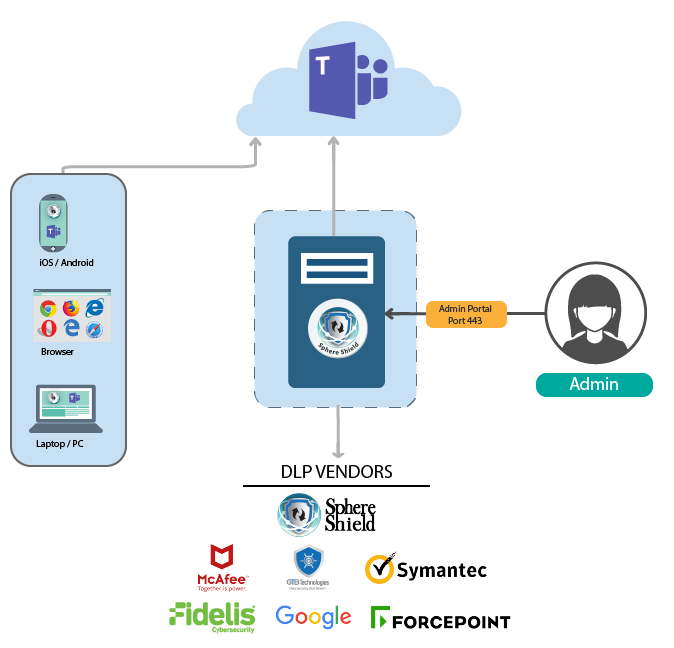
SphereShield by AGAT Software provides companies using Microsoft Teams the option to prohibit users from accessing organizational Microsoft Teams from unmanaged and non-compliant devices.
SphereShield integrates seamlessly with leading UEM services MobileIron, McAfee, Symantec, BlackBerry, AirWatch, Forcepoint, Citrix, Maas360 and Microsoft Itune.
SphereShield also provides this solution to organizations using other popular UC solutions such as Webex Teams and Skype for Business (Slack and Zoom to follow suit soon).
SphereShield integrates seamlessly with leading UEM services MobileIron, McAfee, Symantec, BlackBerry, AirWatch, Forcepoint, Citrix, Maas360 and Microsoft Itune.
SphereShield also provides this solution to organizations using other popular UC solutions such as Webex Teams and Skype for Business (Slack and Zoom to follow suit soon).